Share your profile is the card
The sheet's hero is the card your friend gets: your poster wall behind your photo in its theme ring, the Saga capsule underneath, alive. Three ways to set it on the sheet, side by side. Drag a card to tilt it, tap QR code to turn it over, and use the switches to slow it down or turn motion off.
What your friend gets
The real shared cards (F3, 1200 × 630), which every option below draws live. Today's sheet still leads with a QR code (round 1's audit, T1 to T6, still holds).

saga.pictures/@tmcallister92/card.jpg: your recent posters, tilted −8°.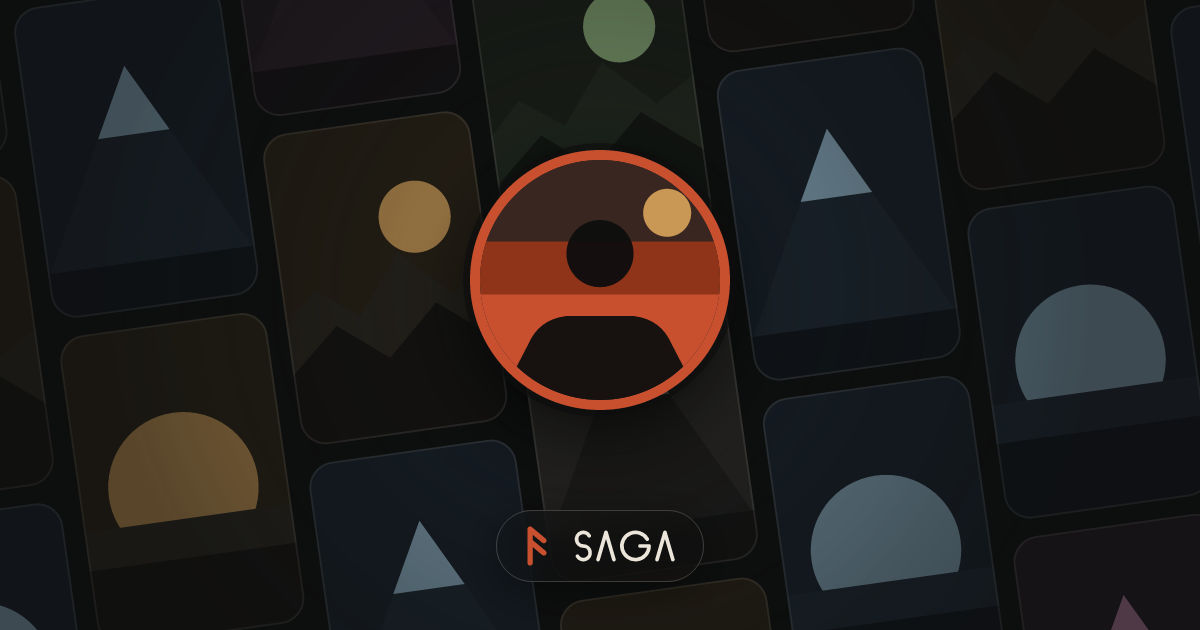
@iossmoke: a sparse or private profile gets the sign-in wall.1 · The sheet
Each phone runs on @/lib/motion's real values and the real Sheet's rise (320 ms on CHISEL, the scrim on DURATION.quick). Rings land on SPRING.card, the tilt returns on SPRING.snappy, the lockup carves on DURATION.slow, turns take Flip's 600 ms, and the posters counter-scroll like the sign-in wall. When a haptic fires, the Dynamic Island names it.
2 · In person: the QR code
The same three sheets after QR code. The code keeps today's look: theme ink on bone, the mark in the middle, error correction H. This prototype's code opens the plain profile link; the app's carries your invite.
3 · The motion, step by step
Milliseconds from the tap on Share in your profile's header. Reduce Motion: every state jumps, the wall and tilt hold still, and turning over becomes a crossfade.
| Moment | A · Keepsake | B · Full bleed | C · Ticket | Haptic |
|---|---|---|---|---|
| Sheet rises | 0 · 320 on CHISEL, the scrim over DURATION.quick (the real Sheet; round 1 used SPRING.sheet, which the app doesn't) | none (it answers your tap) | ||
| The card arrives | 140 · dealt in: up 110 pt from flat (60° back) to its resting lean, SPRING.card | 60 · the wall opens out from your photo, an iris over 560 on CHISEL | 140 · issued: up 70 pt, tipping forward from 28°, SPRING.card | |
| Photo ring | 380 · from 70%, SPRING.card | 200 · from 70%, SPRING.card | 380 · from 70%, SPRING.card | tick as it lands |
| Saga lockup | 520 · the mark carves over 280 on CHISEL; the wordmark's four strokes follow, 40 apart | |||
| Your name | On the back only | Not shown (the link's title carries it) | 520 · carves in word by word, 60 apart, like Welcome back's title | |
| At rest | Posters counter-scroll inside the card; the card floats 3 pt up and down every 5 s | The whole sheet's wall counter-scrolls | Posters counter-scroll in the ticket's top | |
| Tilt | Drag or device motion, up to 8°; the wall slides behind the ring, the shadow shifts, a glint crosses, the card's edge shows | No tilt: parallax only, the wall moves 3× the ring, the capsule stays put | Up to 8°; the foil strip on the stub shifts color, a glint crosses | |
| QR code | The card turns over side to side: Flip, 600 | Your photo turns like a coin and lands as the code (circle to rounded square), the wall dims and slows | The ticket turns end over end, 600, onto bone ticket stock | tick |
| Share | A tick, then the system share sheet with "Follow me on Saga" and the link (systemShare, as sharePage does) | tick | ||
| Copy link | "Copied" with a check for 2 s; a failure says how to copy it by hand | cut / warn | ||
4 · Copy
| Where | Today | All three options |
|---|---|---|
| Title | Share your profile · Share @name | Unchanged |
| Line, yours | Whoever opens this link or scans the code and joins becomes your friend. | Whoever opens this link and joins becomes your friend. |
| Line, someone else's | Send the link, or let a friend scan the code. | None: the card says it |
| On the card | Not shown | Nothing but the card's own pieces (A, B). C adds your name and @username on the ticket, and the link on its stub |
| QR control | The code is always shown | A and C: "QR code" in the sheet's header, then "Preview" · B: a round glass button, "Show QR code" to VoiceOver |
| Buttons | Share link · Copy link · Done | Share · Copy link, with 16 pt corners like every other text button (the sprint review's P8). Done goes: pull down or tap outside |
| What gets sent | Follow me on Saga + the link | Unchanged; the sheet no longer prints it |
5 · Web and Android
| Platform | A · Keepsake | B · Full bleed | C · Ticket |
|---|---|---|---|
| iPhone | A normal sheet; tilt from device motion | The sheet's bleed; native glass buttons on iOS 26 | A normal sheet; tilt from device motion |
| Web | Tilt follows the mouse on hover; no device motion. Share appears only with Web Share; otherwise Copy link is the one primary button, as today. Hover brightens both buttons; Esc closes. | ||
| Android | Tilt through Reanimated's useAnimatedSensor (no new native module, so it ships over the air); ripples; back closes | Same, but the glass buttons may be a flat tint until the blur prop is fixed (sprint review A6) | Same as A |
My recommendation
A, the keepsake. It is the card your friend gets, at its real 1.91 : 1 shape, so what you see is what lands in their thread, and it's richer than round 1's B: it's dealt onto the sheet, floats, catches the light, shows its edge when you tilt it, and turns over to the QR code the way a real card would. It stays a normal Sheet with no glass over imagery, and it's built from parts we already have (PosterWall, Avatar's ring, Flip, SheenGradient).
B is the most immersive, but the sheet becomes a portrait version of a landscape card, its line and buttons sit on the wall, and on Android the glass may be a flat tint (A6). C is the most fun object, but a ticket with your name on it is a new thing that the link never shows anyone, and it needs the tallest sheet.
Decisions I made
- The QR code is one tap away on the card's back (A and C: a "QR code" action in the sheet's header, the one header action a
Sheetallows; B: a round glass button). - Share and Copy link are the sheet's two actions, with 16 pt corners and no Done.
- The card is drawn live from
share-card-svg.ts's numbers, moved tosrc/sharedso the server's image and the sheet share one source. Your posters come from Welcome back'srecentPosters; this prototype uses the kit's posters in place of yours. - Someone else's profile needs their wall posters: one field on
GET /api/public/users/:name(up to 12, public profiles only). Until then their card shows the brand wall. - Device motion uses Reanimated's sensor, so every option ships over the air.
Which one: A, B or C, a mix, or another round?